Every music director knows you don't play the same artist back to back. The question is how far apart they need to be. Play the same artist twice in thirty minutes and even casual listeners notice. Set the rule too tight and you start blocking the scheduler, especially for artists with heavy rotation. Artist separation rules are how you calibrate that spacing, and MusicOne makes it very easy to get right.
Setting up the rule
In the Rules section, add a new Artist Separation rule. The Separation time field takes a value in hours and minutes, between 5 minutes and 4 hours. That will be the default separation time that is applied to all artist where that is feasible.
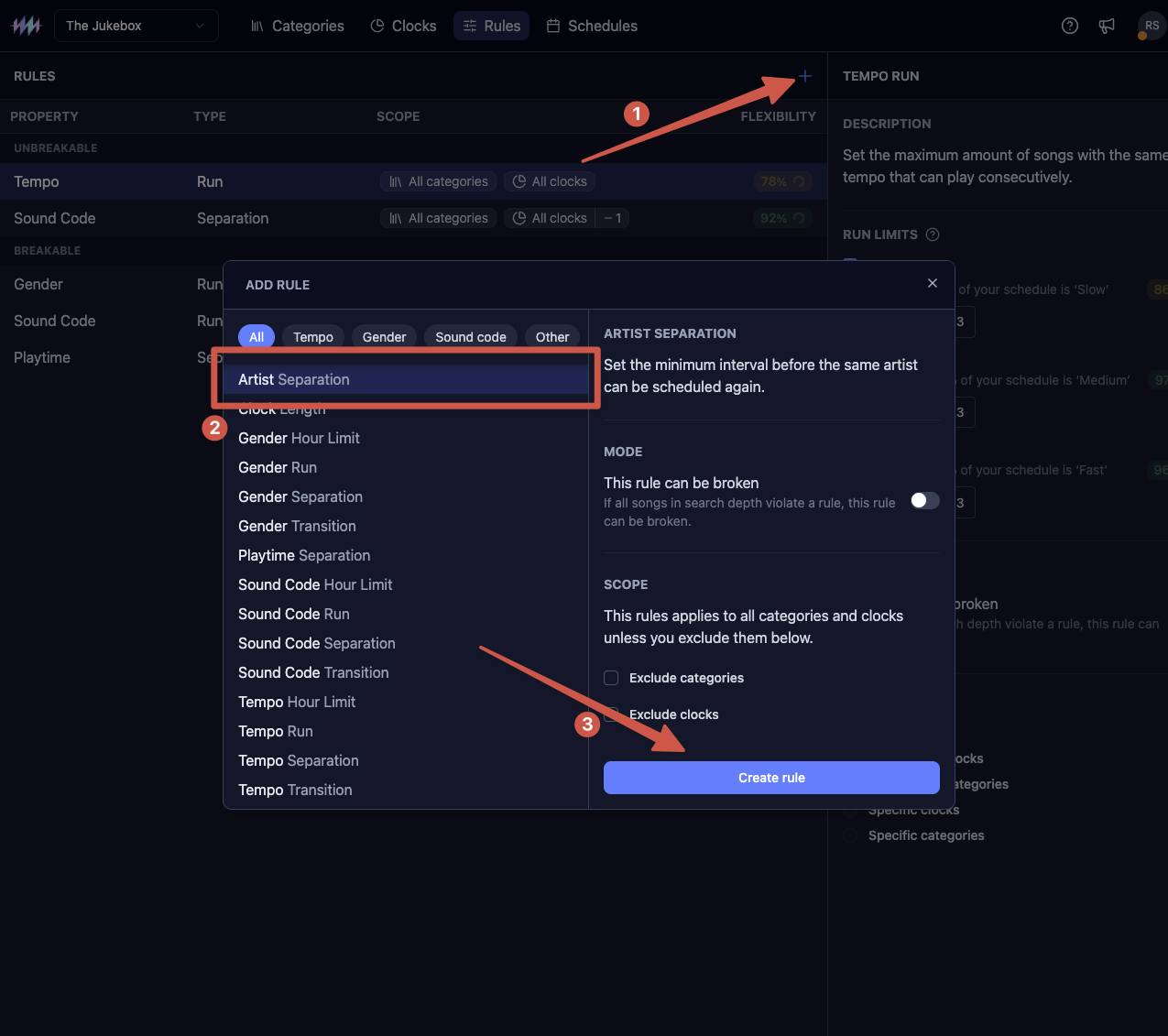
Custom separation times
Sometimes you’re playing an artist so often, that the default separation time would be impossible to maintain. For those artists MusicOne automatically calculates the best custom, artist-specific separation times. You can see those artist below the default separation field:
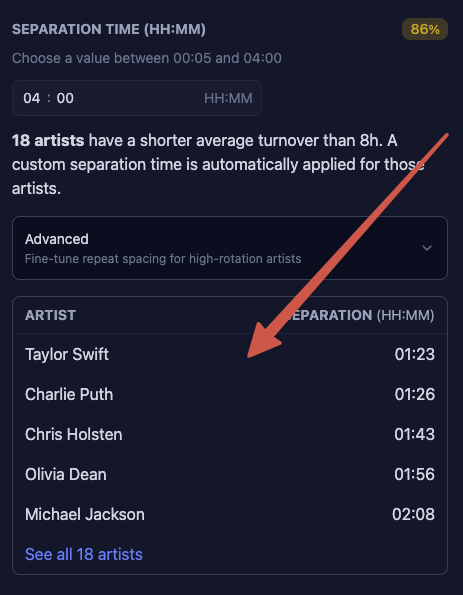
By default MusicOne takes a custom separation equal to half the average turnover of each artist. This value is best for most stations. It balances the artist separation and scheduling flexibility so you don’t get too many manual stops during scheduling.
Advanced users can choose to customize this percentage. A lower percentage will lead to shorter custom separation times and less manual stops. A higher percentage will lead to a longer separation time, but more manual stops.
Excluding clocks or categories
By default, artist separation applies to all categories and clocks. Use Exclude categories or Exclude clocks to create exceptions for specific parts of your schedule. For example: If you have an All-Stones hour, where you only play Rolling Stones, you need to exclude that clock here.
Linked artists
You can link two artists together so the scheduler treats them as one for separation purposes. This is useful for solo artists who are also part of bands, or artists who frequently appear on each other's tracks. Read more on how to set that up here: