Every station is different. A rules that make sense for your morning drive clock might be too restrictive for late nights. Or you might have some special programming hours where separation rules should not apply. Rule scope is how MusicOne handles that.
Every rule you create is set to one of two scopes.
A global rule applies across your entire station. Every category, every clock, every hour. Most of the time global is the right choice. Artist separation, as example, only makes sense as a global rule.
A specific rule is narrower. You use it only for particular categories or clocks.
The same type of rule, let’s take a sound code separation rule as example, can exists multiple times. Once as global rule, and one or more times as specific rule. Those rules overlap for the clock or category to which the specific rule applies. In those cases the specific rule wins. If you have a global sound code separation of 30 minutes and a specific rule on your Night clock set to 60 minutes, the Night clock follows 60 minutes during those hours. The global 30-minute rule continues to apply everywhere else.
Setting scope on a rule
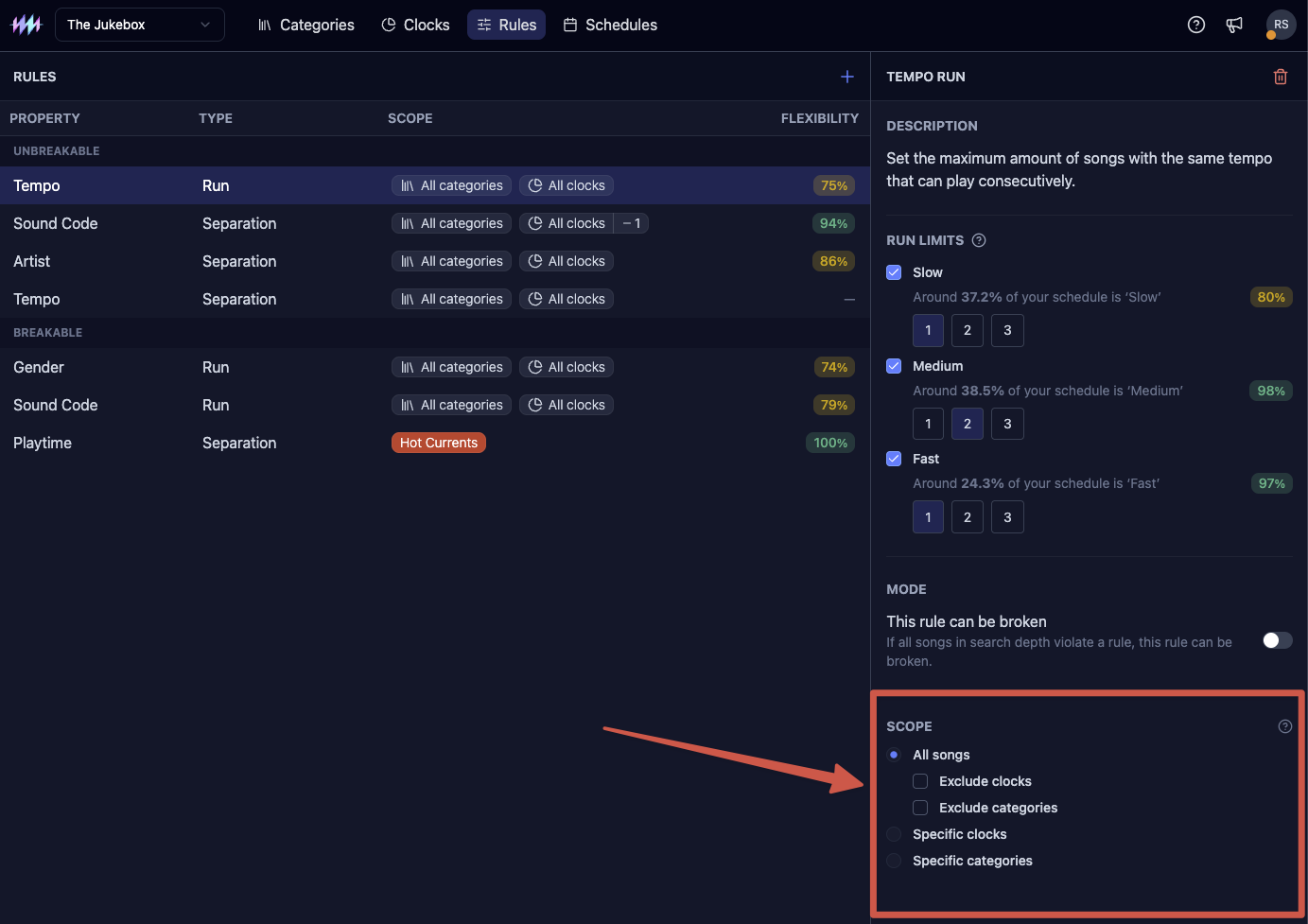
Open the Scope section at the bottom of any rule form. Global is the default. Switch to specific and select which categories or clocks the rule should cover.
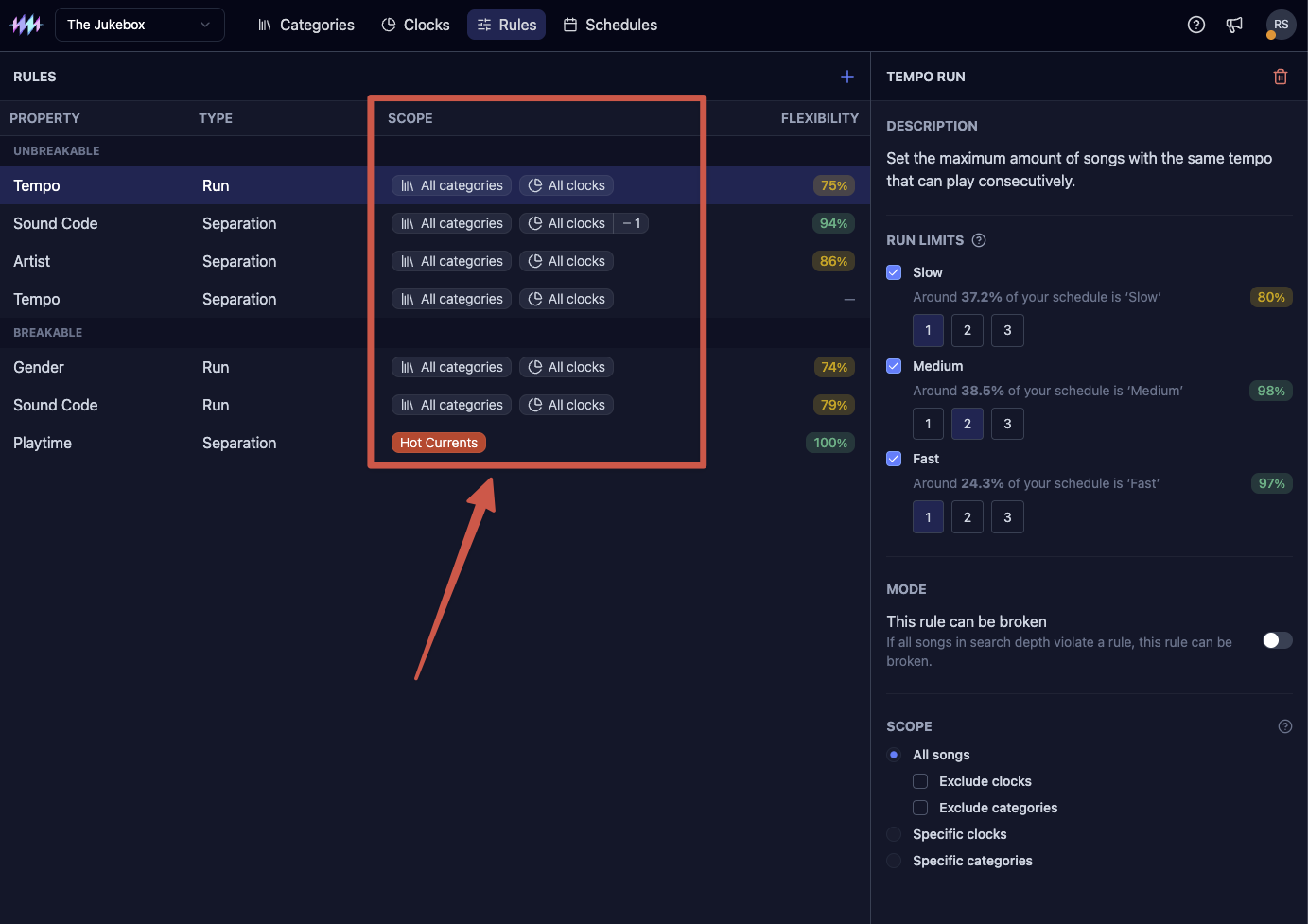
The rule list shows each rule's scope as a coloured pill. Global rules show an "All categories" or "All clocks" chip. Specific rules show the name of the category or clock they target, making it easy to audit your rule set at a glance.
Making exceptions to a global rule
Global rules also support exclusions. If a rule should apply everywhere except one category, set it as global and use the Exclude categories setting to carve out that exception rather than writing a long list of specific rules. The same option exists for clocks.