Ask ten music directors what their worst scheduling headache is, and eight of them will describe unscheduled slots because of a too tight rule. A rule that's blocking the scheduler on a Tuesday afternoon for no reason anyone can remember. Steve Warren used to tell stations the same thing for forty years: enforce the rules you actually use, and leave the rest alone. Most stations only need a handful working hard. Everything past that is just friction waiting to happen.
MusicOne's Rules screen is built around that idea, and it now gives you a number to back it up. Every rule carries a measured flexibility score, so instead of guessing whether a rule is doing its job or fighting you, you can see it.
Where your rules live
Open Rules and you'll find every active rule listed on the left, grouped under UNBREAKABLE and BREAKABLE headers. Each row shows the rule's property, type, scope, and flexibility score at a glance. Click any rule and its full settings open on the right, ready to edit.
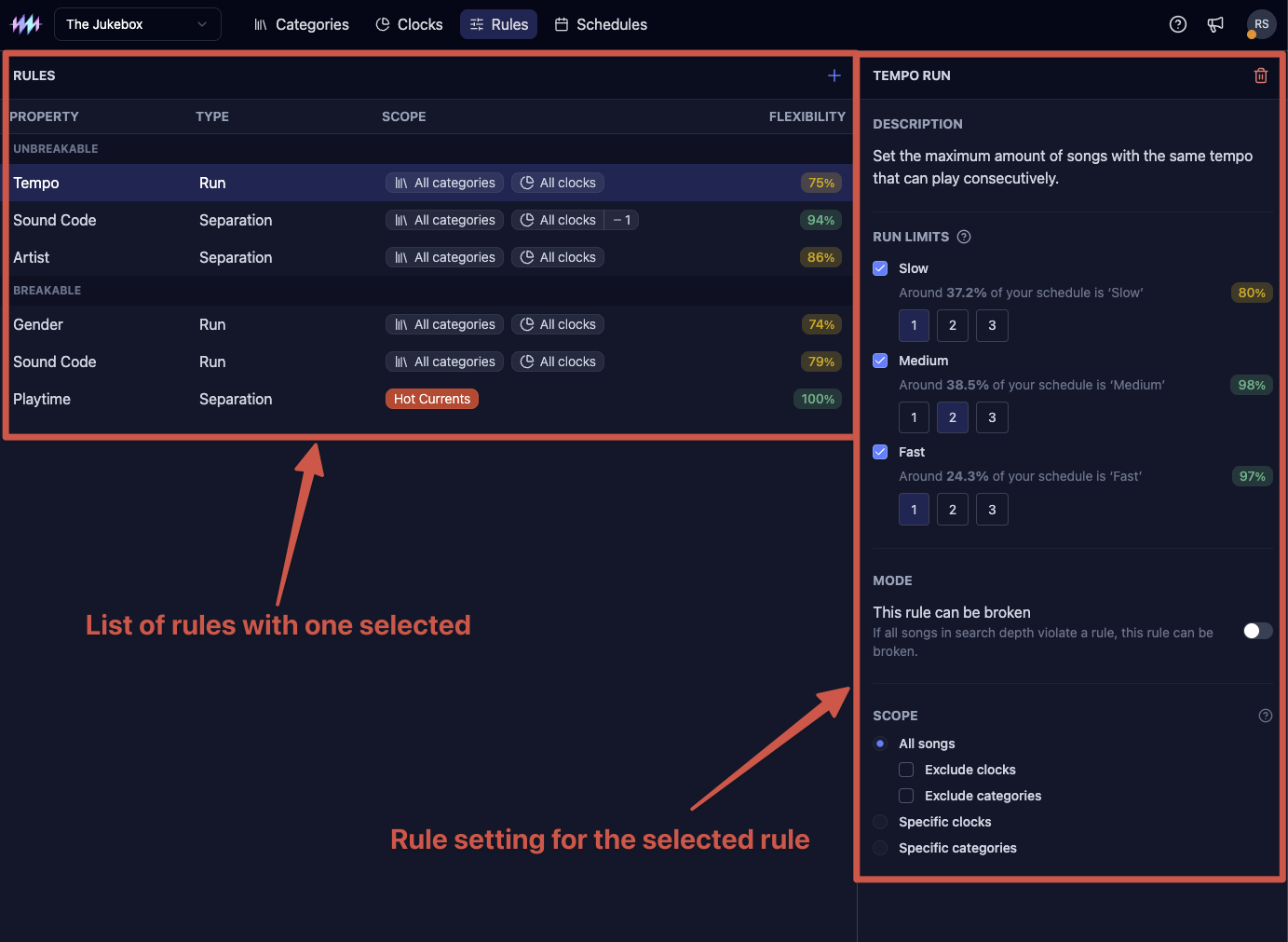
Two of those columns point to bigger decisions than they look like. Whether a rule is unbreakable or breakable determines whether the scheduler can ever cross it under pressure, and rules in MusicOne start out unbreakable by default until you decide otherwise. Read more on how that works and when to loosen it here:
Breakable vs unbreakable rules
Scope decides whether a rule applies to your whole station or just a clock or category you pick. More on that here:
The kinds of rules
Every rule you'll ever build falls into one of five types.
- Separation rules keep things like artists, titles, or sound codes from repeating too close together. Songs can be separated by tempo, gender, sound code, title, artist and playtime.
- Run rules cap how many consecutive songs with the same sound code, tempo or gender can appear back to back. For example: no more than 2 females in a row.
- Transition rules restrict one kind of songs to move into another kind of song. For example no fast song after a slow one.
- Hour limit rules limits how many of a particular song type can play in an hour. For example no more than 3 dance songs per hour.
- Clock length rule control how long a clock actually runs.
Adding a rule
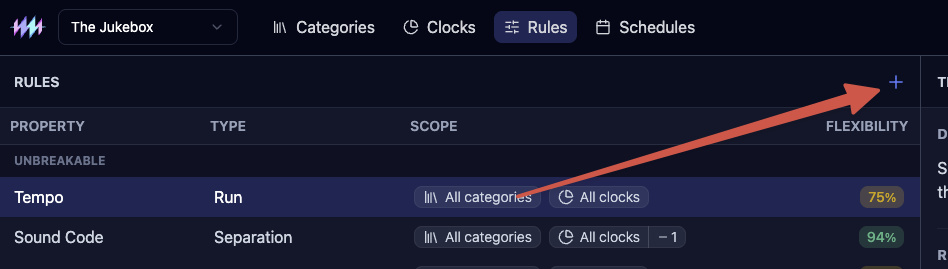
- Click the + icon at the top of the RULES list.
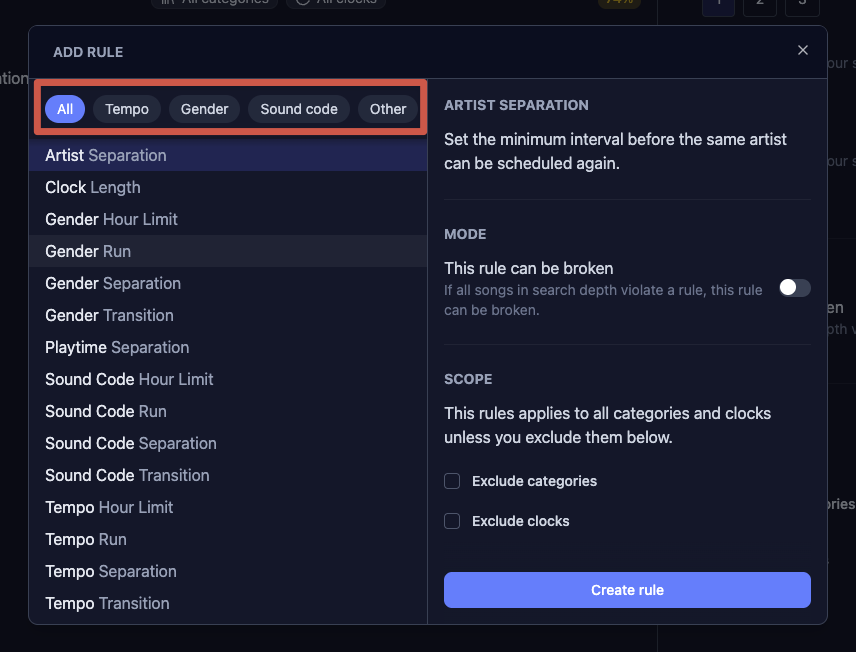
- The Add rule dialog opens with a list of every property and type combination on the left. Use the All, Tempo, Gender, Sound code, or Other chips to narrow it down if you know roughly what you're after.
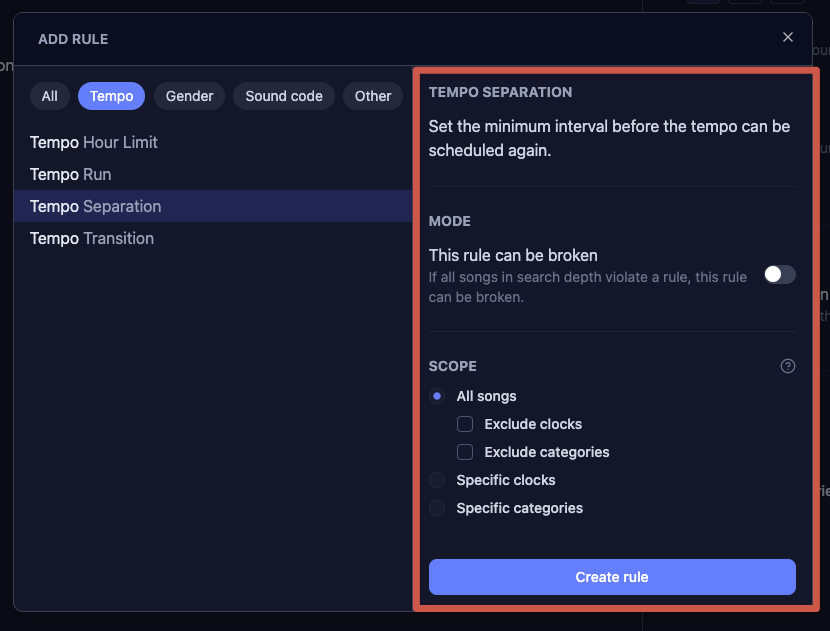
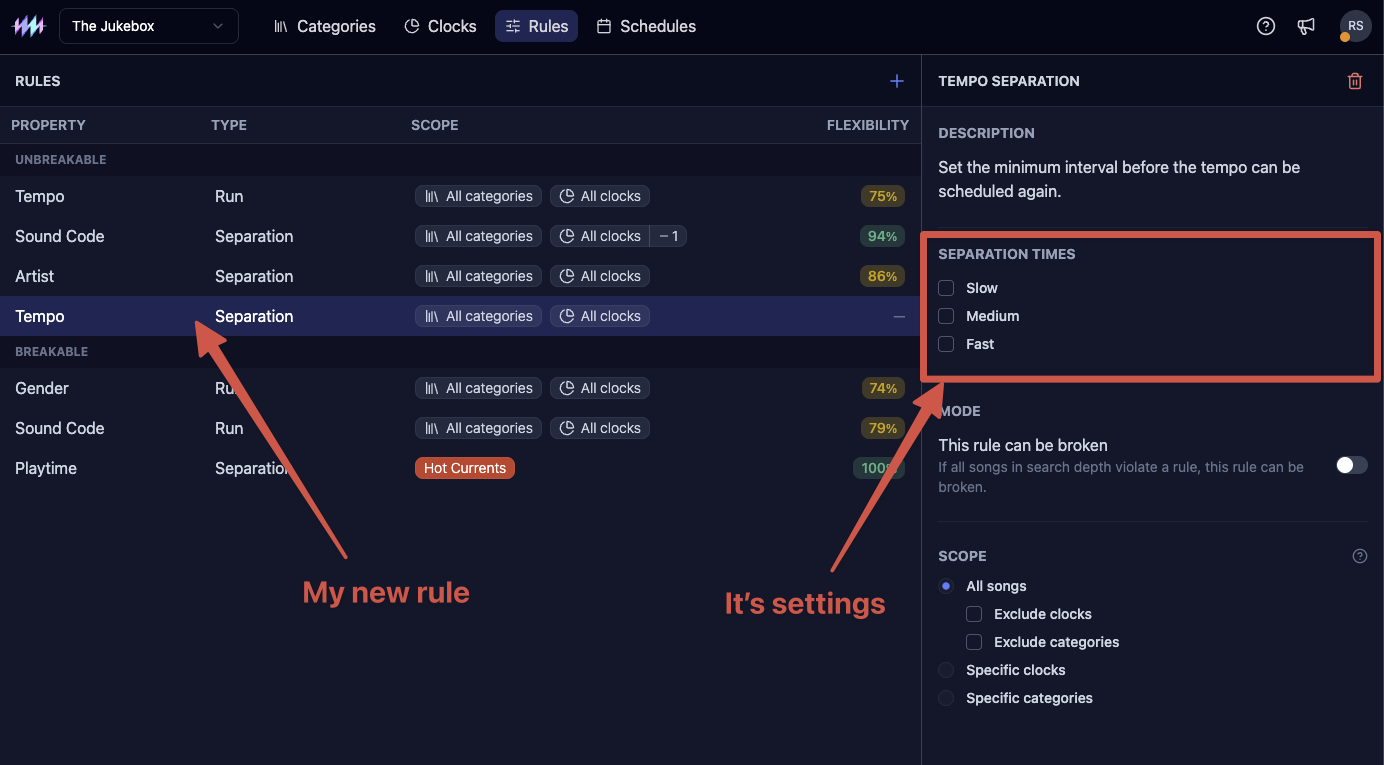
- Pick the one you want. I picked a Tempo Separation rule here. A form for that rule type appears on the right. You can set it to be breakable and you can set to which clock or categories it should apply.
- Once ready, click Create rule to add the new rule. The new rule lands in your list, sorted under Unbreakable or Breakable, and opens on the right so you can keep adjusting it.
Removing a rule
- Click the rule in the list. Its settings open on the right.
- Click the trash icon in that panel's header.
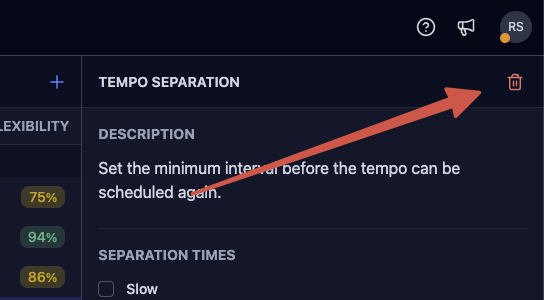
- Confirm the removal in the dialog that appears.
Reading the flexibility score
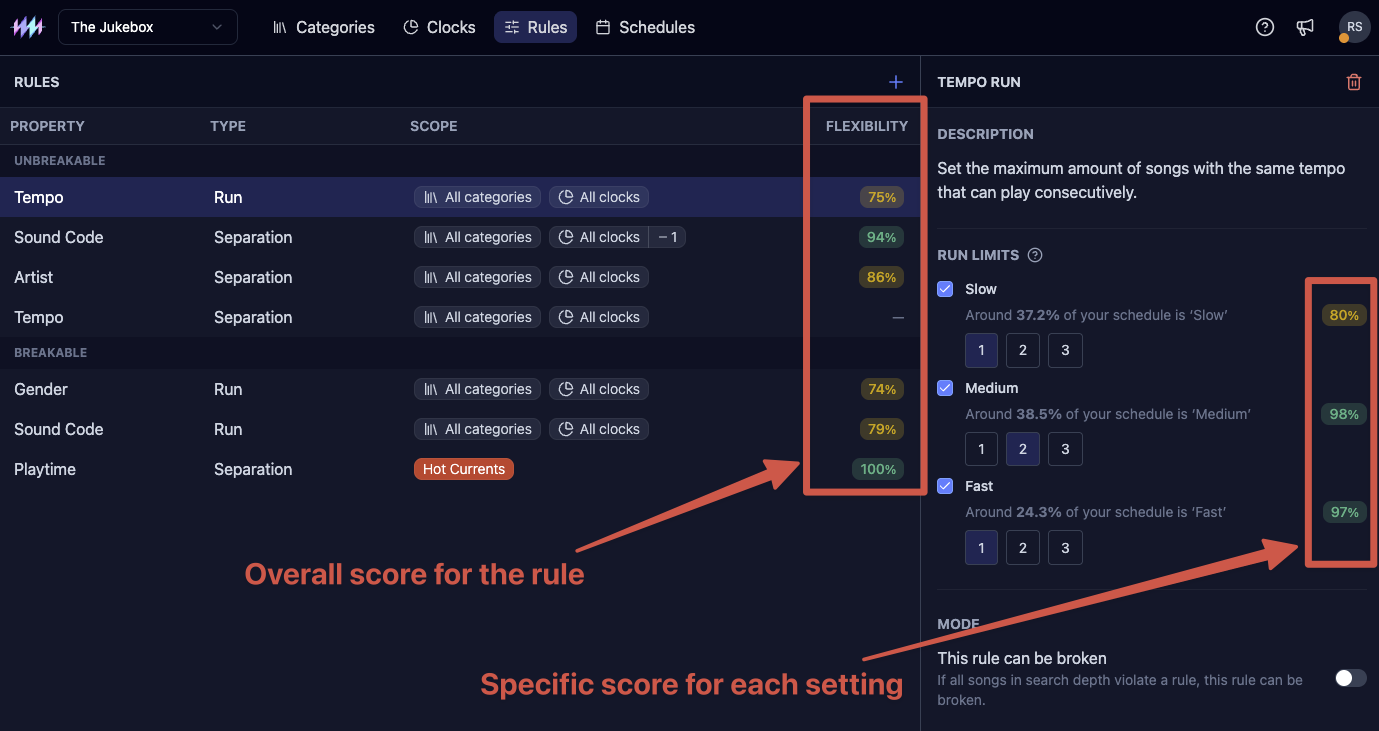
Next to each rule, and next to some of the individual settings inside it, you'll see a flexibility score. That number isn't a guess. MusicOne runs a simulated week of scheduling against your station's real library and measures how often that rule would actually get in the way.
Above 90% and the rule is comfortable, it's rarely the reason a slot gets stuck. Between 70 and 89% it's worth a look, the rule is doing real work but starting to push back. Below 70% and you've likely got a rule fighting your library.
It's the same instinct Steve always preached, set your rules as loose as your station can stand, tighten only where it counts, now with a number attached instead of a hunch.
Where to go next
If you're setting up rules for the first time, start with separation, it's the one every station needs, and the flexibility score will tell you almost immediately whether your defaults fit your library. From there, the dedicated articles for each rule type will walk you through the details.