Think about a classic hits station with a deep Beatles library. You've got a 120-minute artist separation rule, which sounds sensible. But then your system plays "Come Together" by The Beatles, and ten minutes later it schedules "Maybe I'm Amazed" by Paul McCartney. Same voice. Your listener hears McCartney twice in a short window. Your rule didn't fire because MusicOne saw two different artists.
This comes up all the time with groups whose members went on to solo careers. The Beatles and John Lennon. The Eagles and Don Henley. Fleetwood Mac and Stevie Nicks. The library ends up with the same voice listed two or three different ways, and your separation rule has no idea they're the same person.
Linking artists solves this. You tell MusicOne: these names belong to the same artist. After that, the scheduler treats them as one when it evaluates separation.
How to link artists
Go to Categories in the top navigation. Find a song from the artist you want to link. Double click the song to open its song card. Hover the artist name and click the 3 dots to open the Artist Settings.
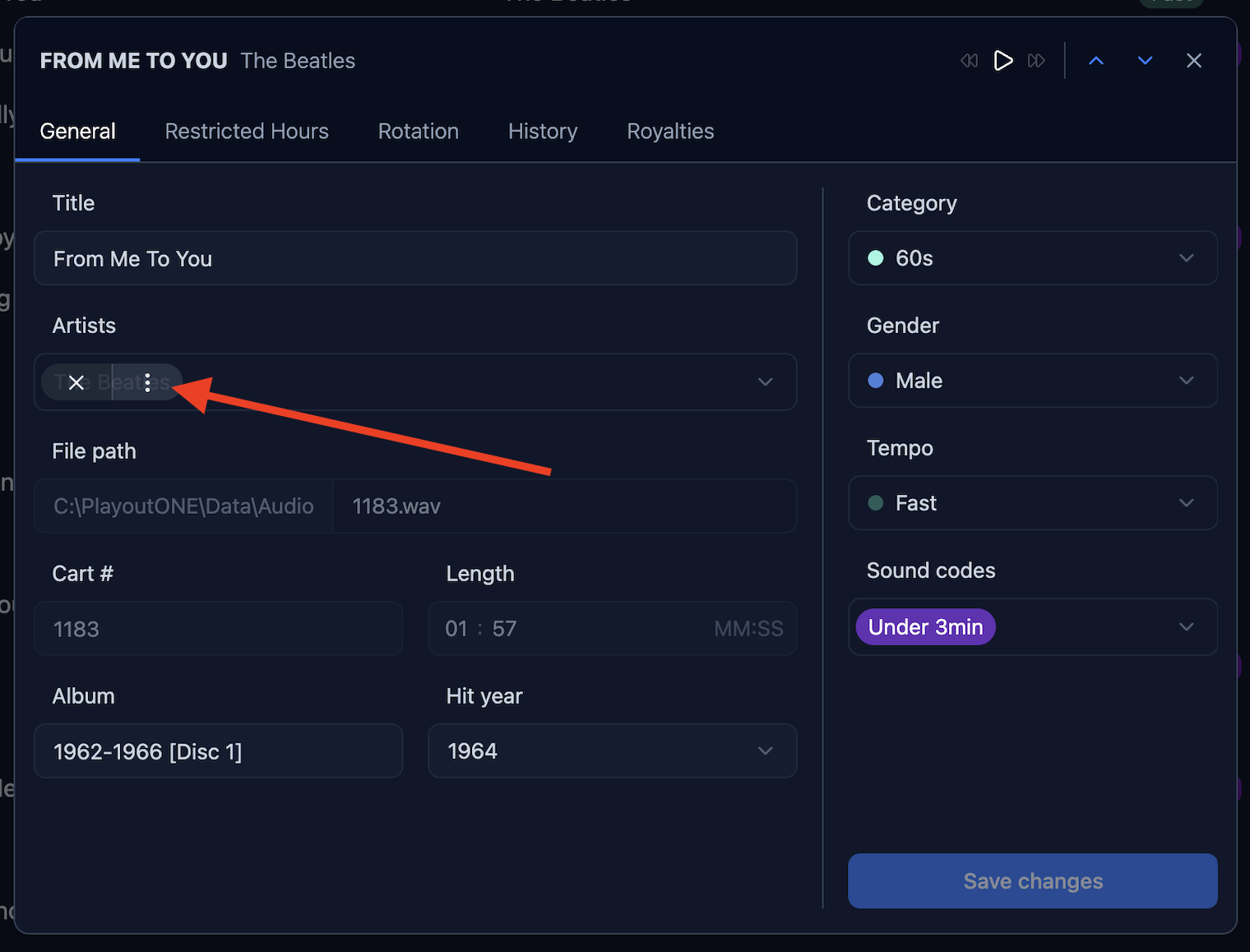
Click the ‘Link artists’ dropdown and select the other artist names you want to connect to this one. In this example I’m linking Paul McCartney and John Lennon to The Beatles. Click Save changes. That's it.
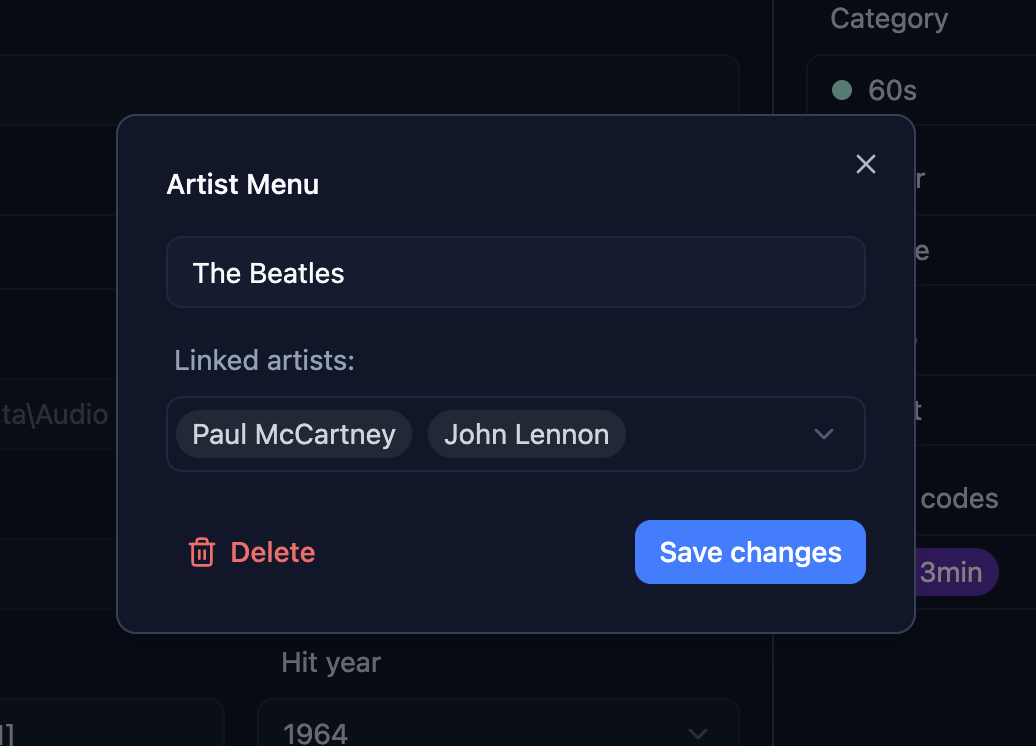
From now on, MusicOne counts all of those names as one artist for separation purposes. If your rule says 60 minutes between plays, it applies across the whole group.
A couple of things worth knowing. Links don’t need to be set up from both sides, but different artists linked to the same group are not automatically linked. So in our example John Lennon and Paul McCartney are also linked to The Beatles, but not automatically linked to each other. This allows for most flexibility to link only what needs to be linked.
Removing a link
Open the Artist Menu for either artist in the group. In the Linked artists section, deselect the name you want to separate. Save changes. The link is gone.
How far to take it
It's tempting to link every variation you find. I'd keep it focused. Link artists where the same voice appearing twice in your separation window would actually bother a listener. The goal isn't a perfect database. It's a schedule that sounds right. Set your rules as flexible as your station can accept, and linking is one more tool that helps you get there.