Take an oldies station with five Michael Jackson songs. "Billie Jean", "Off the Wall", "Thriller", those are the monsters. But "Human Nature" and "This Is It" were hits too, just quieter ones. You want them in the rotation. You just don't want them competing at full weight with the icons.
That's what packets are for. Put "Human Nature" and "This Is It" into a packet inside the category. The packet fills one slot in the rotation. Each time that slot comes up, one of those two songs plays, alternating in sequence. They still get air. Just at half the rate of the songs sitting outside the packet.
What a packet actually does
Think of a packet as a folder inside your category. The category still has the same number of rotation slots it always had. But one of those slots is now a folder, and each time the scheduler reaches it, it pulls the next song from inside the folder.
The songs in the packet don't compete with each other. They take turns.
How to create a packet
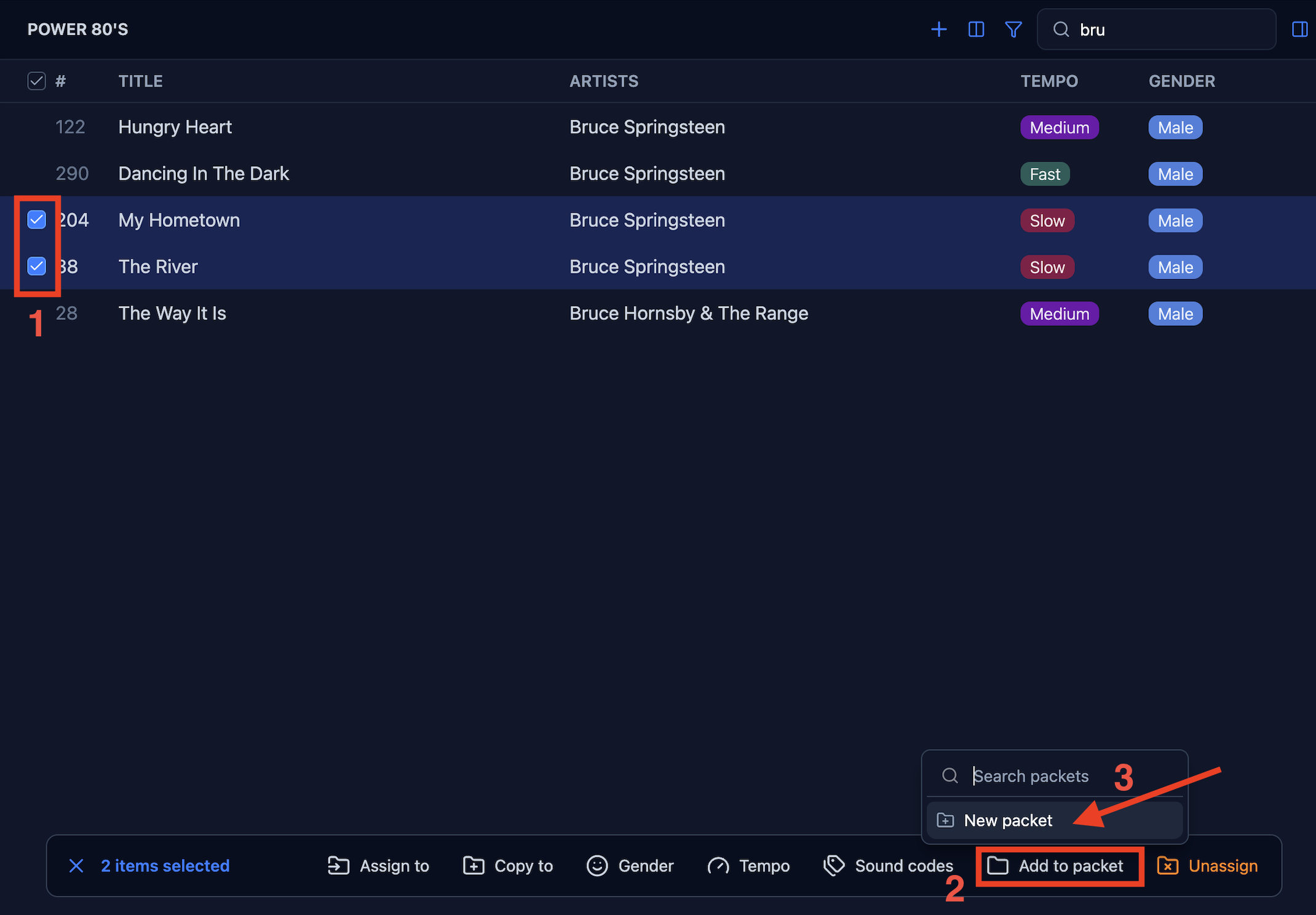
Navigate to the category in which you want to add your packet. Find and select the songs you want in the packet. Choose Add to packet in the bulk options bar at the bottom of the screen, then New packet.
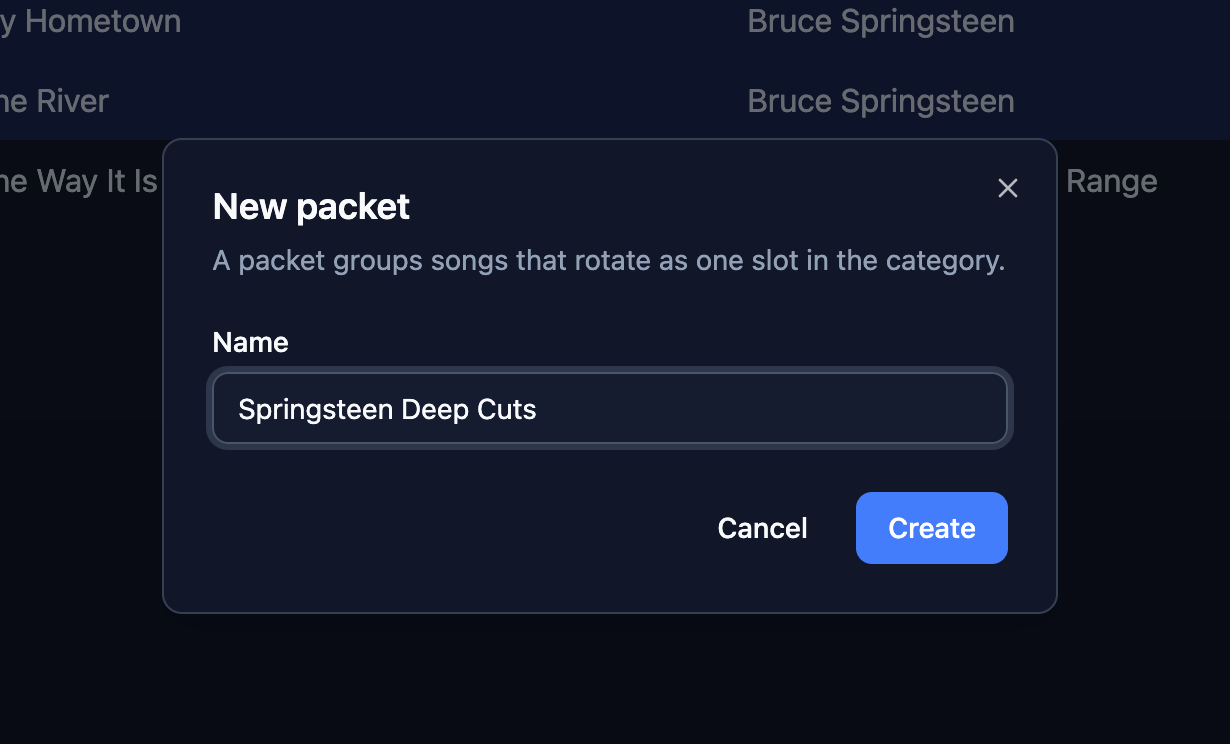
Give it a name and click Create. The songs moves into the new packet.
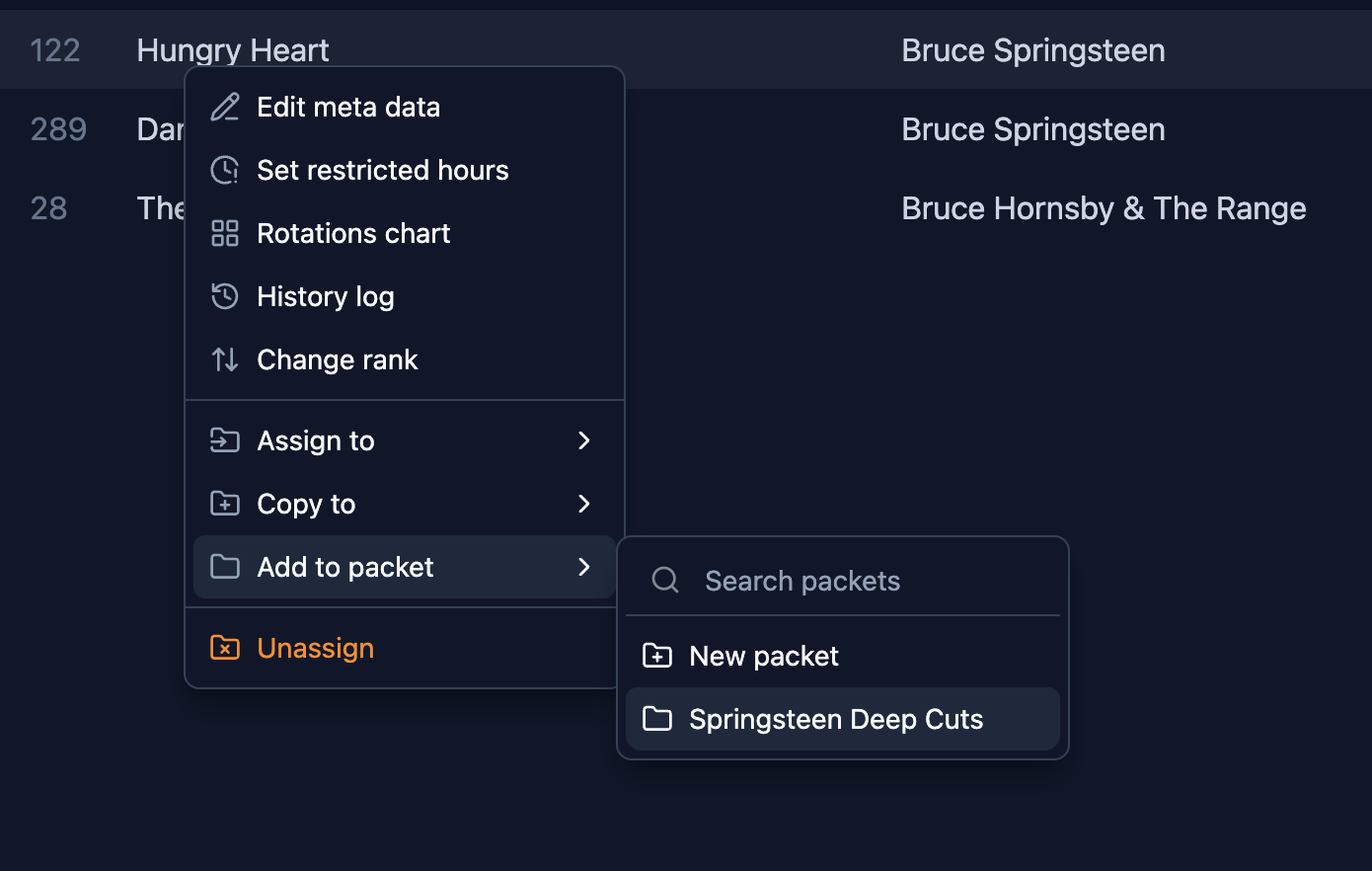
To add more songs to the same packet: right-click another song, choose Add to packet, and select your packet by name from the list.
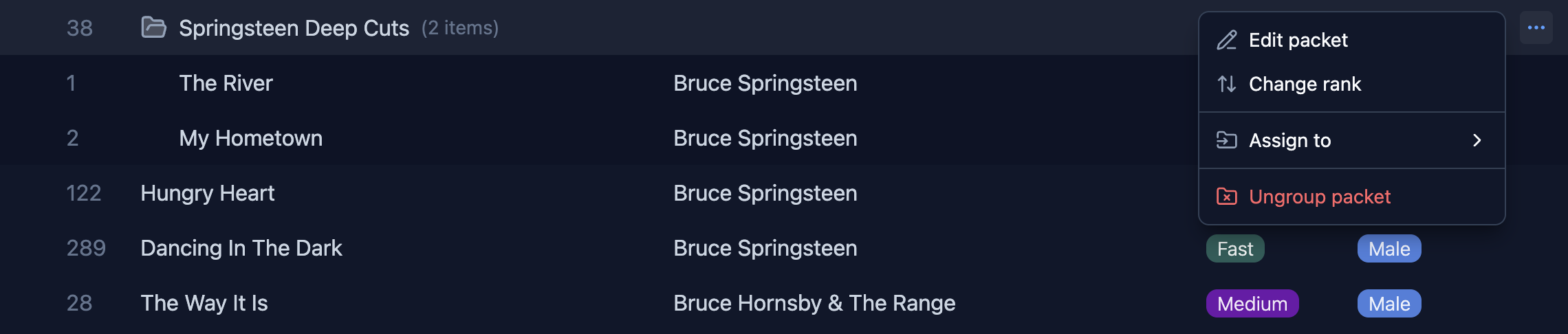
The packet appears as a folder row in your category list. Click it to expand and see what's inside. Use the ⋯ menu on the packet row to rename it, change its position in the category, or move it to a different category entirely. To dissolve the packet entirely and return all songs to the category, use Ungroup packet from the same menu.
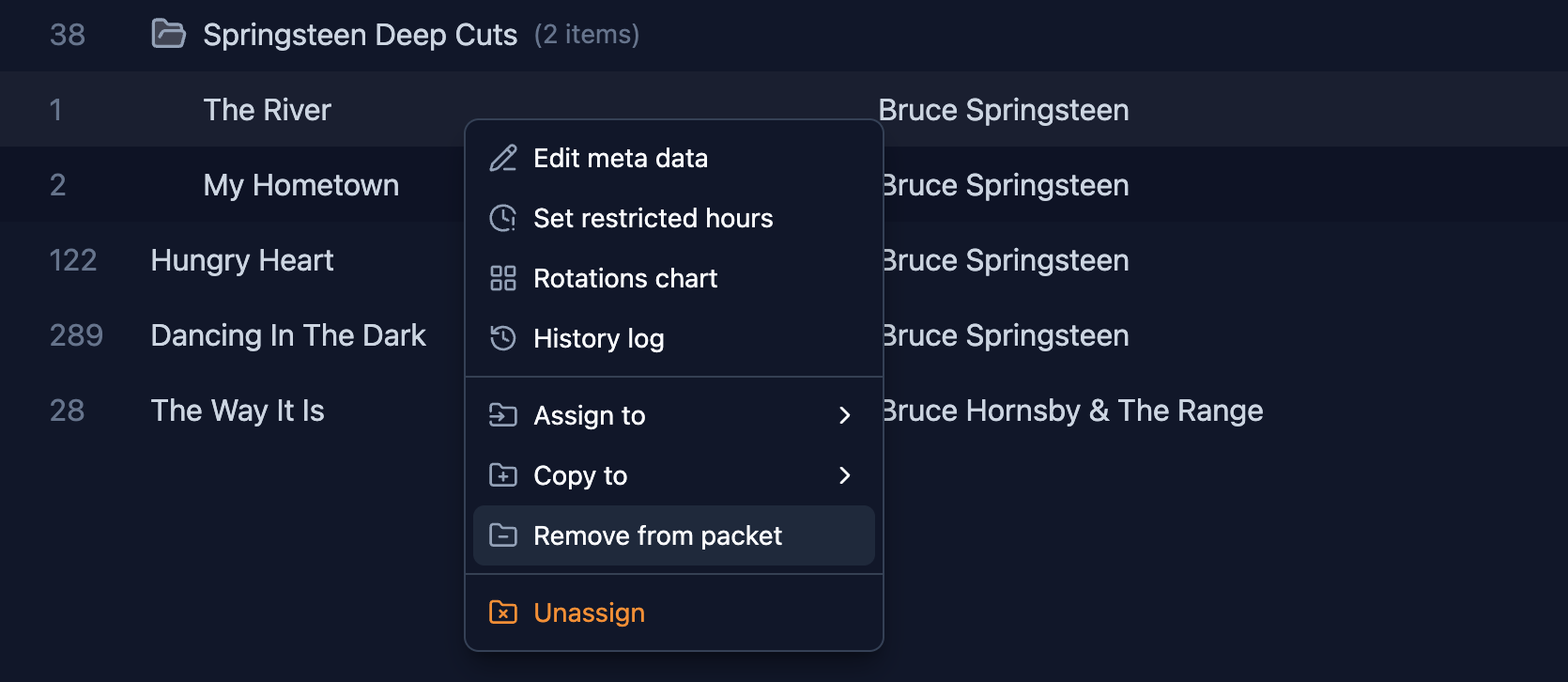
To pull a song back out of a packet, expand it, right-click the song, and choose Remove from packet. It goes back into the category as a regular item.
When to reach for packets
Packets work best when a song belongs in your rotation but shouldn't rotate at full speed. This comes up a lot in Classic Hit and Gold formats, where you've got a deep catalogue and not every song deserves the same spin count. Secondary hits from the big artists, the ones that earned a place in the category but shouldn't play as often as the real staples.
The other case people often miss: multiple versions of the same song. Say you have the studio version and a live recording of the same track, or a radio edit and a full-length version. Both are worth playing, but you don't want the song showing up twice as often as everything else. Put both versions in a packet and they share one rotation slot. Listeners hear variety. The song doesn't get overplayed.
Any time you want one slot in a category to cycle through a small group of songs rather than lock to a single track, that's a packet.